ElectroNeek Docs
Welcome to the ElectroNeek Documentation!
This documentation portal gathers detailed technical information about our platform and products, as well as our API Documentation, Release Notes, and useful How-to Articles. Use these resources to explore the business value of the platform and enhance your skills for delivering automation services.
Here's a table of contents with the sections of our documentation:
About ElectroNeek, how to sign up, how to set up your team, and what you'll find in our Academy.
Detailed articles about our AI Agents and AI Workflows and how to integrate them with your apps, RPA bots and more.
Detailed articles about our Intelligent Document Processing engine, IntelliDocs, and how to leverage it.
Detailed articles about our Robotic Process Automation solutions.
Tools to run your ElectroNeek business: the CRM, Lead Center, White Label and Playbooks.
Information about our Support Center and other helpful technical resources.
This learning journey covers the elementary actions you must know to build, deploy, and manage bots.
Here you can check descriptive information about the activities used to build RPA workflows.
Find additional details about our Security Policy, Troubleshooting, FAQs and more.
Reference for our API-enabled solutions, including Orchestrator and IntelliDocs.
Here you'll find news about new products and features, improvements, and bug fixes.
Useful articles to help you solve problems, overcome challenges, and improve your workflows.
Using the Docs
- Read in your language. The Docs are available in English, Spanish, Portuguese, French and German. Pick your language from the Language selector at the top of any page. On your first visit, the portal suggests your browser's language, and it remembers your choice from then on.
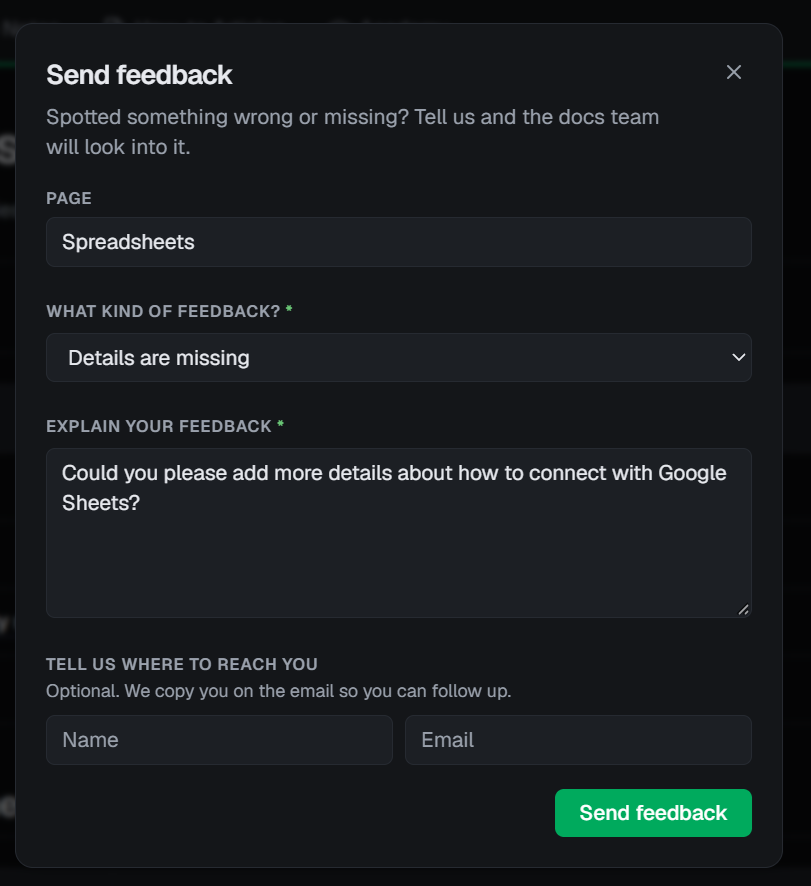
- Send feedback. Found something incorrect, missing or unclear? Click Feedback at the top of any page, choose what kind of feedback it is and explain it. Add your name and email if you'd like us to follow up. Your feedback goes straight to the team that writes the Docs.
- Connect AI. Click Connect AI at the top of any page to use these Docs from your AI tools. It gives you the URL of our MCP server, so your assistant can search the Docs, read any page and look up API endpoints.