
May 2026 Platform Update: New AI Agents release
by Anton Polianskii
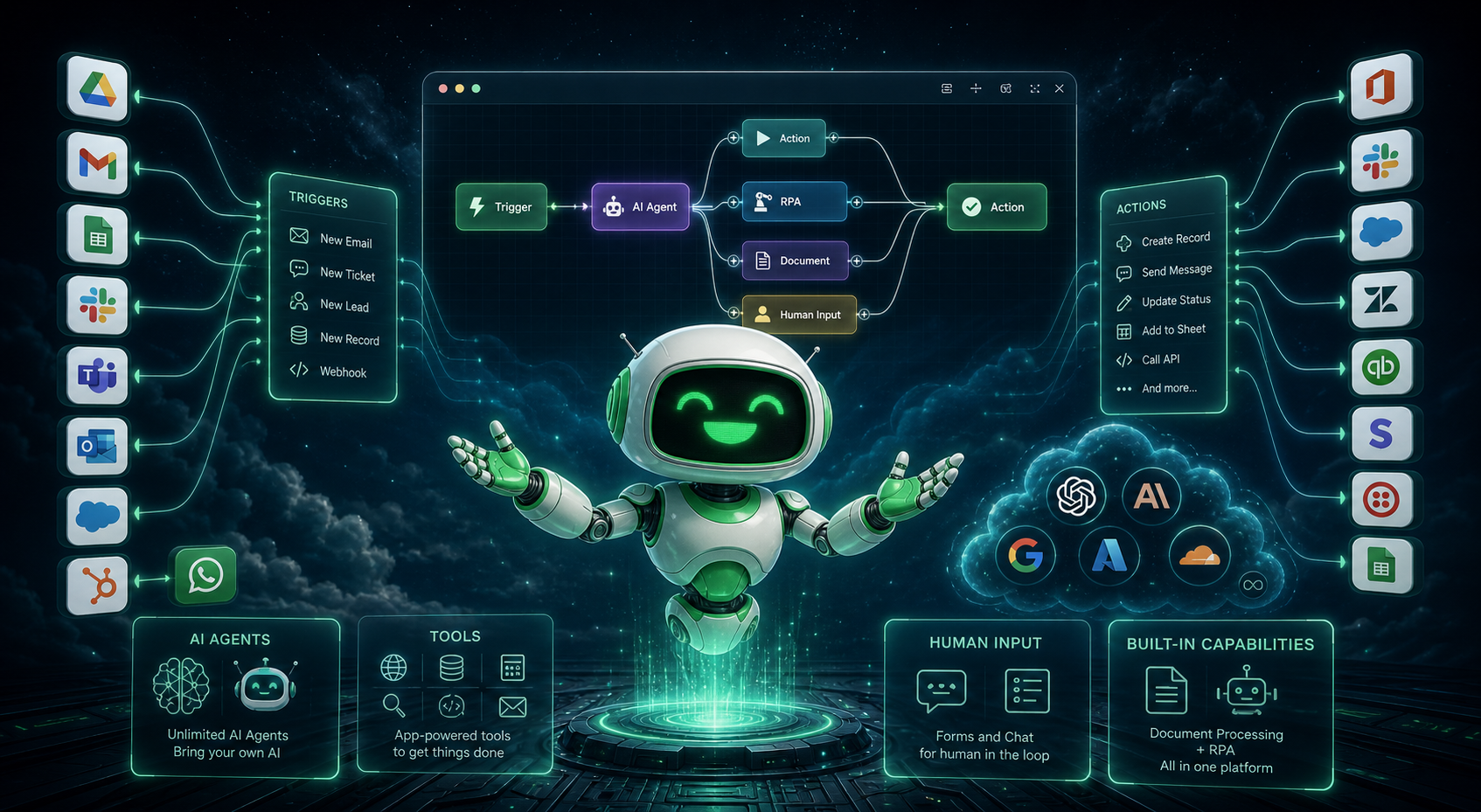
We're excited to announce that our brand-new AI Agent Management module is now available in all regions!
We're excited to announce that our brand-new AI Agent Management module is now available in all regions!
We are proud to announce a new update to the ElectroNeek Platform. This update includes fixes, improvements and optimizations for Studio Pro, Bot Runner, Orchestrator and the User Portal.
We are proud to announce a new update to the ElectroNeek Platform. This update includes fixes, improvements and optimizations for multiple RPA features, as well as new features for the Processes & AI Agents module.
We are proud to announce our latest Major Update to the ElectroNeek Platform: Version 12.0.
Release 11.4 introduces enhancements to easily create high-accuracy document streams of IntelliDocs that work with documents of any type, major UX improvements to the User Portal, including a new design of the home screen, and a series of functional improvements to the Process Management product to build and run automated workflows. For ElectroNeek Partners, it also enables a comeback upgraded Lead Center, where new customer and resell leads are available for their respective regions.
Release 11.3 introduces enhancements to the accuracy of table extraction in IntelliDocs.
Release 11.2 brings new features, and bug fixes to enhance the overall performance of IntelliDocs. Read on to discover what's new and fixed in this version.
Release 11.1 HF7 is packed with enhancements and fixes. This release addresses various issues and improves existing functionalities.
Release 11.1 HF6 addresses an issue with IntelliDocs.
Release 11.1 HF5 addresses a couple of IntelliDocs issues.
Release 11.1 HF4 addresses a Process Hub issue.
Release 11.1 HF3 addresses an IntelliDocs issue.
Release 11.1 HF2 addresses various issues with existing functionalities.
Release 11.1 HF1 is packed with enhancements and fixes. This release addresses various issues and improves existing functionalities.
Bot Runner Release 11.0.5 is packed with enhancements and fixes. This release addresses various issues and improves existing functionalities.
Release 11.1 brings new features, enhancements, and bug fixes to enhance the overall performance and user experience. Read on to discover what's new, improved, and fixed in this version.
We are thrilled to announce the release of version 11.0 Major Update, a significant milestone in our ongoing commitment to providing the best user experience and enhanced functionality. In this release, we introduce exciting new features that empower users and organizations to further optimize their operations.
Release 10.3 brings new features, and bug fixes to enhance the overall performance and user experience. Read on to discover what's new and fixed in this version.
Release 10.2 brings significant enhancements and fixes to our platform, focusing on streamlining user experiences and improving integration functionalities. Explore the latest enhancements for a smoother and more efficient platform experience.
Release 10.1 brings several enhancements, new features, and bug fixes to enhance the overall performance and user experience. Read on to discover what's new, improved, and fixed in this version.
We are thrilled to announce the release of version 10.0 Winter'24 Major Update, a significant milestone in our ongoing commitment to providing the best user experience and enhanced functionality. In this release, we introduce exciting new features that empower users and organizations to further optimize their operations. We've listened to your feedback and are proud to present the most notable additions to our platform in this update.
Release 9.7 brings a range of exciting changes and improvements to our business system. This version is designed to enhance the user experience, streamline internal billing processes, and provide valuable resources to our customers. Below, we will outline what's new, what's improved, and what's fixed in this release.
Release 9.6 brings a range of enhancements, new features, and essential fixes. This version is designed to elevate your automation capabilities, ensuring a seamless and efficient experience for your automation workflows.
Release 9.5.16 is packed with enhancements, fixes, and new features to enhance your automation experience. This release addresses various issues, improves existing functionalities, and introduces new capabilities to streamline your automation workflows.
Release 9.5.12 introduces the game-changing AI Workflow Generator functionality, enabling you to create automation workflows directly from natural language descriptions. With amplified AI capabilities, Studio Pro empowers you to streamline your RPA journey, accelerate bot construction and achieve remarkable results.
Release 9.5 introduces new features, enhancements, and bug fixes to provide a more seamless and efficient automation experience. In this release note, we will highlight the new functionalities of the Ask AI temperature parameter and the Community Edition Studio Pro Version, along with the fixes implemented.
Release 9.4 brings a range of exciting enhancements that empower users and streamline automation workflows. Experience the new Code Generator for efficient problem-solving, leverage the new Excel activities for seamless data management and optimize document management with the new Document Testing feature. Let's the wide range of updates in this release.
Release 9.3 includes 2 new OpenAI-related activities in Studio Pro that enhance your bot's capabilities to work with natural language data; improvements in Zapier connector for more complex logic tasks; new IntelliDocs management features to easily manage client subscriptions; a new search bar in Wiki for you to find relevant learning content faster; bug fixes.
Release 9.2 introduces new features such as the IntelliDocs activity for Intelligent Document Processing, the Output Tab for managing workflow data, and the option to download previous versions of Studio Pro and Bot Runner from Orchestrator SaaS. Other enhancements cover Recipes, console messages, API documentation, a Guided Tour for navigating User Portal, and UX improvements in Billing. We also list the bug fixes.
Release 9.1 includes improvements on Studio Pro, such as a Timeout parameter for the "Execute JS code" activity and an update in "Find Iframe" to interact with nested iframes. Additionally, you have new features such as a minimized version of the Bot Runner Status Window, the "Automation How-tos" section in Help Center, and a search component to better manage your tickets in Support Center. We also describe bug fixes.
Release 9.0 is packed with several updates, starting with User Portal : it displays a refreshed design and improved left menu; a new Recipes section with pre-made RPA use cases and instructional videos. Regarding Studio Pro, you'll see improvements in activities and console window messages, while Bot Runner has now independent logs. Additionally, there are new learning spaces with Campus and Wiki, and collaboration features added to Support Center. We also list bug fixes.
Release 8.7 presents User Portal's refreshed Home Screen with products organized by hubs. This version also brings a new feature for you to resell ElectroNeek products to your end customers; enhancements in Studio Pro activities, properties, and in the Anti-CAPTCHA feature; and Bootcamps. We also list the latest text improvements and bug fixes.
Release 8.6 has updates in User Portal, while MSP Toolbox has been rebranded as Leads Center, and the Billing section now provides updated subscription information. Studio Pro has received interface changes to improve user experience and the native mode for Excel activities has been boosted up. We also present text improvements and bug fixes.
Release 8.5 comes with updates and improvements to Studio Pro, Bot Runner, and Orchestrator SaaS. Studio Pro now includes more useful information in automatic logs and has enhancements in the "Select List Item" activity. Bot Runner has also been updated to collect logs, while Orchestrator SaaS now supports RDP sessions and displays console logs. We also list bug fixes.
Release 8.4 includes updates to User's Portal, Automation Hub, Studio Pro, Orchestrator, Business Hub, and MSP Toolbox. Among the new features are MSP Toolbox integration with the User's Portal, improvements to the automation process, and bug fixes for various functionalities.
Release 8.3 includes updates to the Browser Automation Extension in Studio Pro; two new methods of working with MS Excel; an improved user experience and product performance in Orchestrator SaaS and User Portal; a redesign of the Support Portal; and a new "Times unlocked" column in the MSP Toolbox lead table. We also list bug fixes.
Release 8.2 brings several important improvements: Studio Pro now works more smoothly with Python, Chrome Selenium, and web elements, while Bot Runner can be authorized using tokens, and Orchestrator SaaS now displays status codes correctly and allows for re-assignment of Bot Runners. Support Portal and MSP Toolboxhave also been improved with clickable links and better deal-tracking features. We also list bug fixes.
Introducing the latest Electroneek Studio Pro update, focused on comprehensive bug fixes to enhance your automation workflow. This complete changelog addresses various issues, ensuring a smoother and more reliable experience.
Introducing the latest update for Electroneek Studio Pro, packed with bug fixes and enhancements to improve your automation experience. This complete changelog addresses various issues, including authorization glitches, graphical interface fixes, and improved compatibility with Microsoft Edge.
In release 7.0, several fundamental changes have been made that significantly improve the process of development and scaling bots. Many new no-code activities have appeared, speeding up bot development, and a lot of improvements in controlling the performance of the bots and statuses have been made. Read about these and many other changes in this article.
In this update, Electroneek Studio Pro brings you valuable enhancements and crucial bug fixes. Discover the convenience of the "Parse values" checkbox, Chrome Selenium support in the Scrape structured data activity, and improved email handling with the 'Read emails' activity. Enjoy smoother workflow organization with drag and drop tab movement. Experience the power of automation with Electroneek Studio Pro's latest update.
Introducing the latest update for Electroneek Studio Pro, featuring valuable improvements and essential bug fixes. This comprehensive changelog brings enhanced functionalities, improved workflows, and a smoother user experience to our automation platform. Let's dive into the details of the latest enhancements across Studio Pro, Bot Runner, and Orchestrator SaaS.
In this update, we bring you a comprehensive overview of the latest improvements and bug fixes in Electroneek Studio Pro, Bot Runner, and Orchestrator SaaS. From improved authorization messaging and bug resolutions to streamlined installations and optimized data collection, these updates aim to provide a seamless and efficient automation journey for our users. Join us as we dive into the complete changelog and discover the enhanced capabilities that empower you to achieve more with Robotic Process Automation.
There's a lot new in this major update: multitenancy support in Orchestrator, central deployment, APIs, support for Java desktop apps, the "Web Scraper" tool, a completely reworked Chrome extension, and much more.
In this update, we are excited to present the complete changelog, featuring a series of improvements and bug fixes for Studio Pro and Bot Runner. These enhancements have been carefully implemented to optimize your workflow and deliver a more seamless user experience.
In this update, various bugs in Studio Pro have been fixed. These improvements aim to enhance the overall user experience.
In this update, we're thrilled to bring you a host of exciting improvements and bug fixes. From enhanced functionality to smoother performance, let's explore the key highlights.
In this update, we’ve added an optional feature of collecting bot execution logs in Orchestrator, added a mechanism to control element disappearance, and more.
In this update we have introduced a new activity - ‘Select list item' in the 'Browser’ group, added a new option for interaction with forms in input-related activities, introduced some UX and UI improvements and many more. Read about the new opportunities provided by this update here!
In this update we have added new features that improve UX, added more intuitive workflow statuses in Orchestrator as well as fixed a lot of issues. Read the full changelog here!
In this update we have implemented a number of useful features such as better activities search algorithm, option to add breakpoints ‘on the fly’ as well as improved UX and UI. Read the complete changelog with the new features here!
In this update we’ve implemented a new algorithm of building unique selectors for web-elements through Browser Picker, added a feature of forcing a bot to stop in case the normal stop fails to work and made important changes to the Orchestrator’s UX.