
October 2026.03 Platform Update: Introducing Partner Hub, plus the Docs in your language
We are proud to announce a new update to the ElectroNeek Platform. This release introduces Partner Hub, the new home for partners building an automation business on ElectroNeek. It also brings our Documentation portal to more languages and the latest Studio Pro and Bot Runner releases.
This release includes Bot Runner 12.0.27 and Studio Pro 12.0.27.
What's New
Introducing Partner Hub
Business Hub is now Partner Hub, with new tools to run your ElectroNeek business from the Portal:
- CRM. Keep your clients and deals in one place, on a board that follows each deal from New lead to Won. Request a quote from ElectroNeek Sales right from a deal, and register resale opportunities from the CRM, which replaces the Resell form.
- Lead Center, now part of Partner Hub. Your Lead Center deals move to the CRM automatically, and every lead you unlock from now on lands there too.
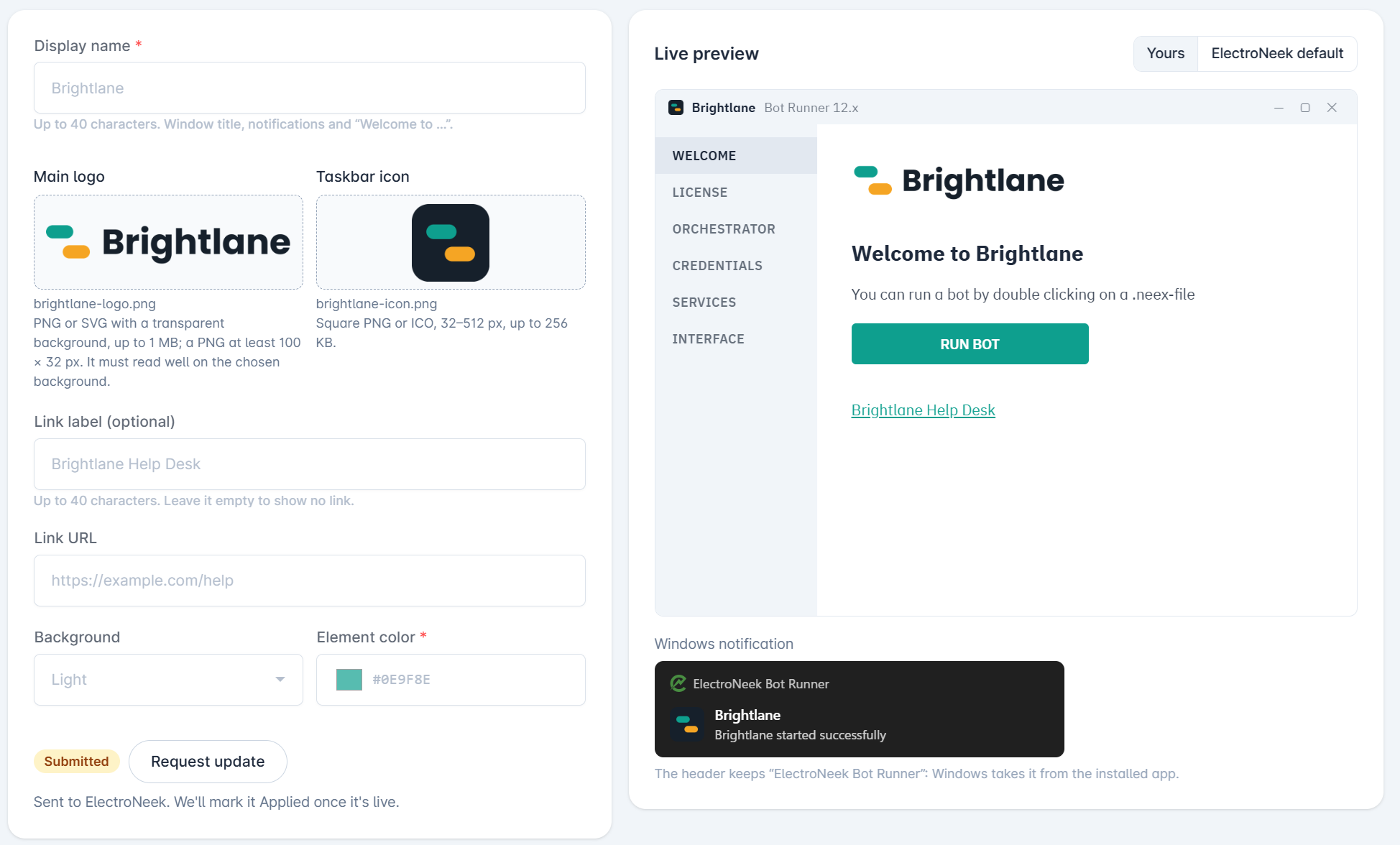
- White Label. Design your Bot Runner theme yourself, with your name, logo, icon, link and colors, and check it in a live preview. Submit it, and we'll apply it and mark it as Applied.
- Playbooks, coming soon. Guides to launch, market, sell, deliver and grow your automation services with ElectroNeek. You'll see them in Partner Hub marked "Coming soon" until they're ready.
Owners and Admins can give each user access to the CRM, Lead Center, White Label and Playbooks from the new Partner Hub tab when editing a user. Questions about Partner Hub or getting access? Reach out through the Support Center or at success@electroneek.com. Learn more in CRM, White Labeling and Playbooks.
Read the Docs in your language
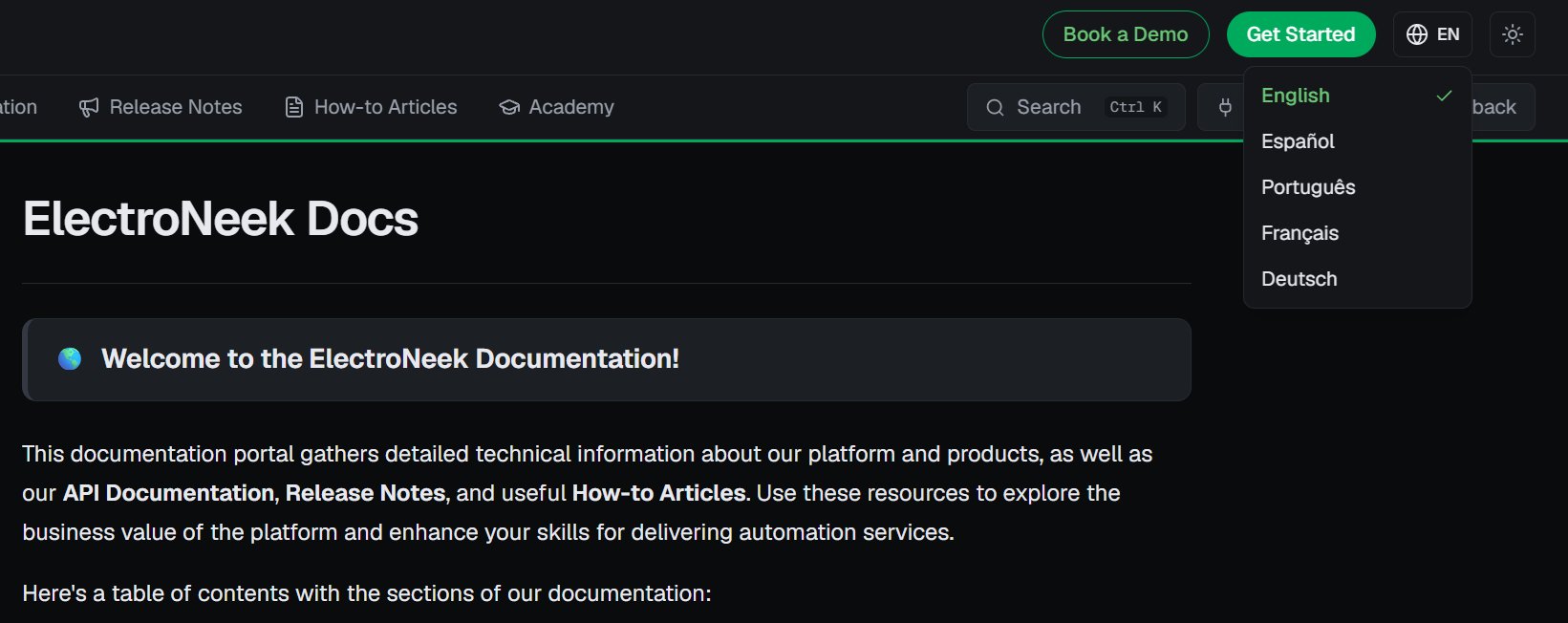
The ElectroNeek Documentation is now available in Spanish, Portuguese, French and German, along with the Release Notes. Pick your language from the selector at the top of any page. On your first visit, the portal suggests your browser's language, and it remembers your choice from then on. Learn more in Using the Docs.
Tell us what to improve with Send feedback
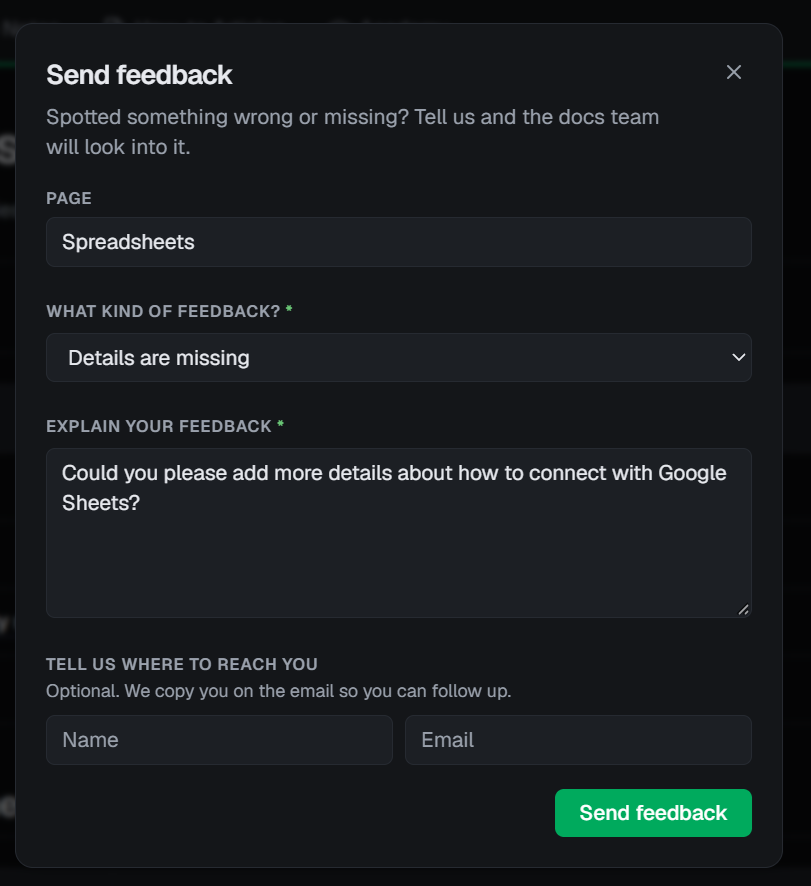
Found something incorrect, missing or unclear? Click Feedback at the top of any page, choose what kind of problem it is and tell us about it. Add your email if you'd like us to reply. Your feedback goes straight to the team that writes the Docs.
A simpler Home menu for AI Agent Management
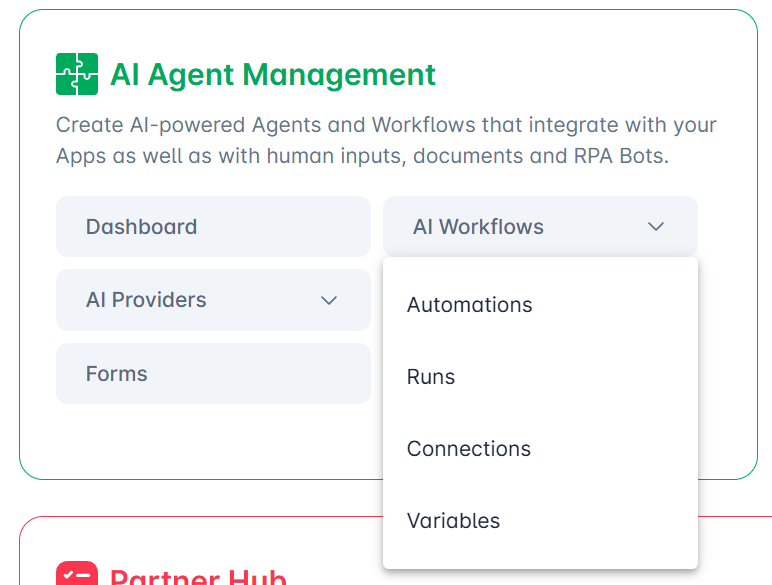
The AI Agent Management box in the Portal's Home menu now shows only its main pages. Click AI Workflows or AI Providers to open their pages, including Variables and Usage, which were missing from the Home menu until now.
Sign in to Microsoft services with Microsoft Authenticator
Connecting the Microsoft service in Studio Pro or Bot Runner (Settings > Services) now works for accounts that use Microsoft Authenticator as their sign-in method. Before, the window stayed blank after you accepted the permissions.
Open application accepts variables
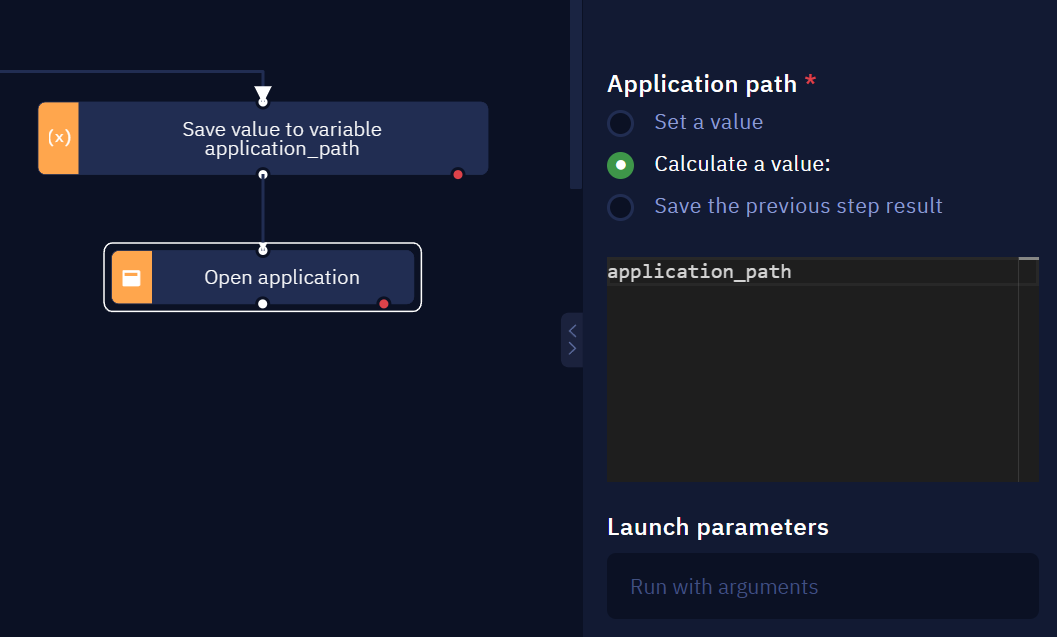
The Open application activity's path property is now called Application path, and accepts a variable or the previous step's result as well as a picked app. The app list also loads faster. Learn more in Open application.
Summary of all changes
The following is a summary of all changes in this release:
Partner Hub
- Renamed Business Hub to Partner Hub.
- Added the CRM, with Deals and Clients, Request a quote and Register resale. It replaces the Resell form and the Lead Center CRM tab.
- Lead Center deals are moved to the CRM, and newly unlocked leads are added to it.
- Added the White Label page to design and submit your Bot Runner theme.
- Added a Partner Hub tab to user permissions, with CRM, Lead Center, White Label and Playbooks.
AI Agent Management
- Reorganized AI Agent Management in the Portal's Home menu, with expandable AI Workflows and AI Providers.
Studio Pro
- Open application: the property is now called Application path and accepts variables, and the app list loads faster.
- Router: new icon, labels that stay readable over connector lines, and comments now show on the block.
- Router: the Learn more button now opens the Router article.
- Fixed Studio Pro closing when you click the Router activity in the activities list.
- Fixed the browser picker not highlighting elements in Scrape structured data.
- FTP/SFTP: the Host key fingerprint property no longer says "(optional)", and error messages no longer show a double period.
- AI provider errors in Ask AI and Edit Text now show clean JSON, without escaped quotes.
- Fixed "Selectors driver already has an active control request" errors in an activity that runs right after a failed web activity.
- Studio Pro now reconnects to its local service by itself if the connection drops, instead of failing with an "Infrastructure Error" until you restart it.
Bot Runner
- Ask AI now shows the right message when Bot Runner isn't connected to your ElectroNeek account, instead of an OCR message.
- Fixed "Selectors driver already has an active control request" errors in an activity that runs right after a failed web activity.
- The error dialog now shows the full error message, including text in angle brackets.
Studio Pro and Bot Runner
- Fixed the Microsoft service staying blank after sign-in when the account uses Microsoft Authenticator.
Documentation
- The Docs are now available in Spanish, Portuguese, French and German, with a language selector on every page.
- Added a Feedback button to every page.
We can't wait for you to try these updates. As always, keep your feedback coming through the Support Center to help shape what comes next.