
October 2026.02 Platform Update: SFTP in Studio Pro, Schedules in the Orchestrator API, and the full Platform in five languages
We are proud to announce a new update to the ElectroNeek Platform. This release brings improvements across AI Workflows, Forms, Document Intelligence, Orchestrator and the Support Center. It also includes the latest Studio Pro and Bot Runner releases.
This release includes Bot Runner 12.0.25 and Studio Pro 12.0.25.
What's New
The full Platform, now in five languages
After the Portal and Orchestrator in our last update, AI Workflows, IntelliDocs and the Support Center are now fully translated into Spanish, Portuguese, French and German too.
A home for your Variables in AI Workflows
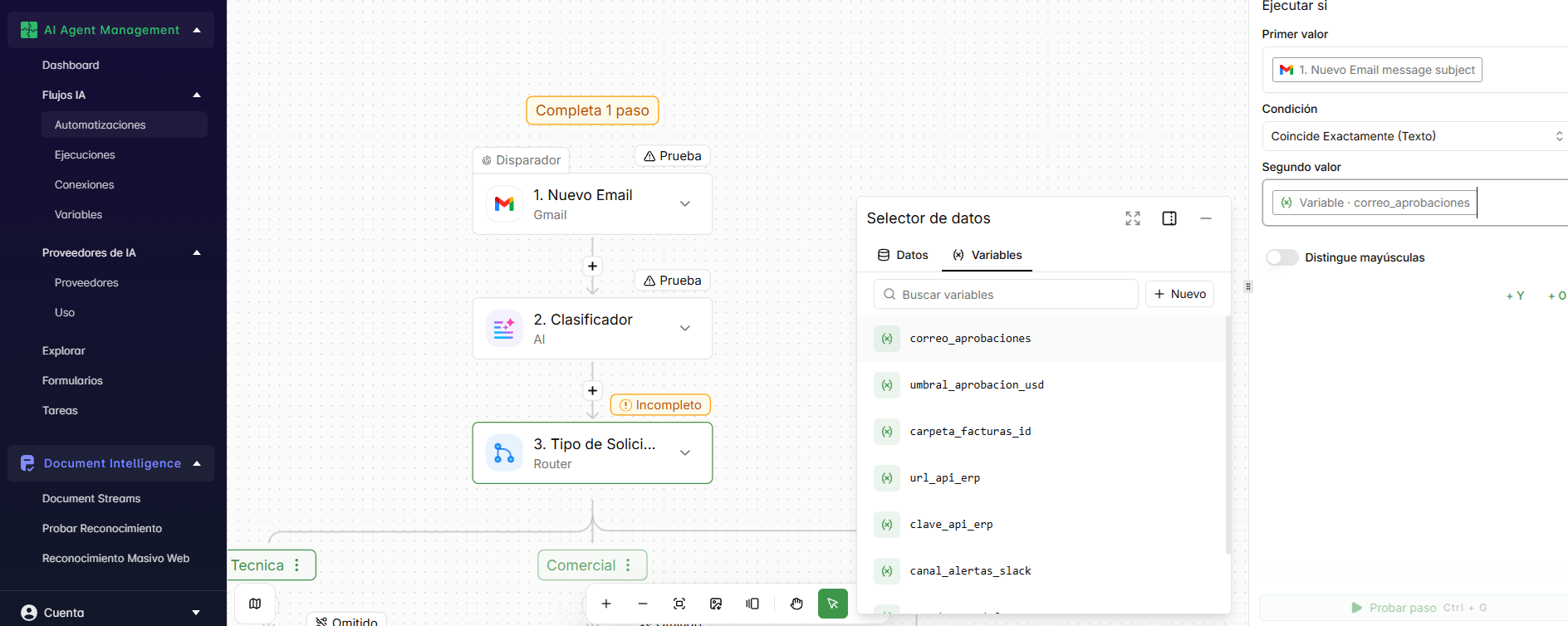
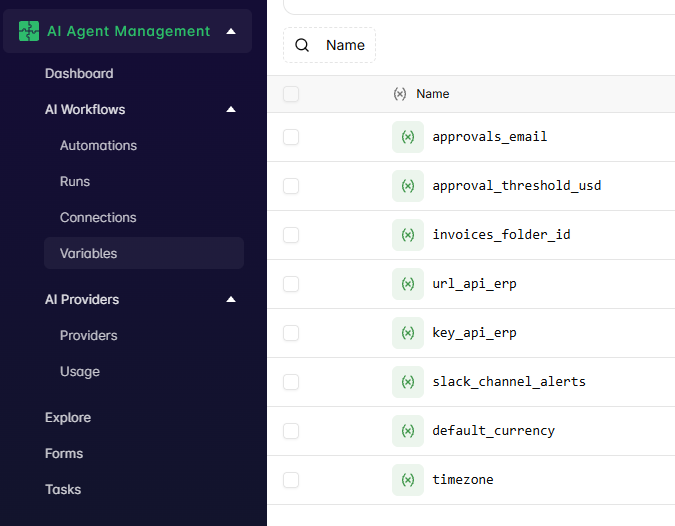
Variables now have their own page in the AI Workflows menu. Create, edit and delete the values your flows share, such as API keys, URLs or IDs, all in one place. Values are encrypted and can't be read back once saved, only replaced, and each Variable needs a unique name, so no two flows read different values under the same name. Learn more in Variables.
Route your bots with the new Router activity
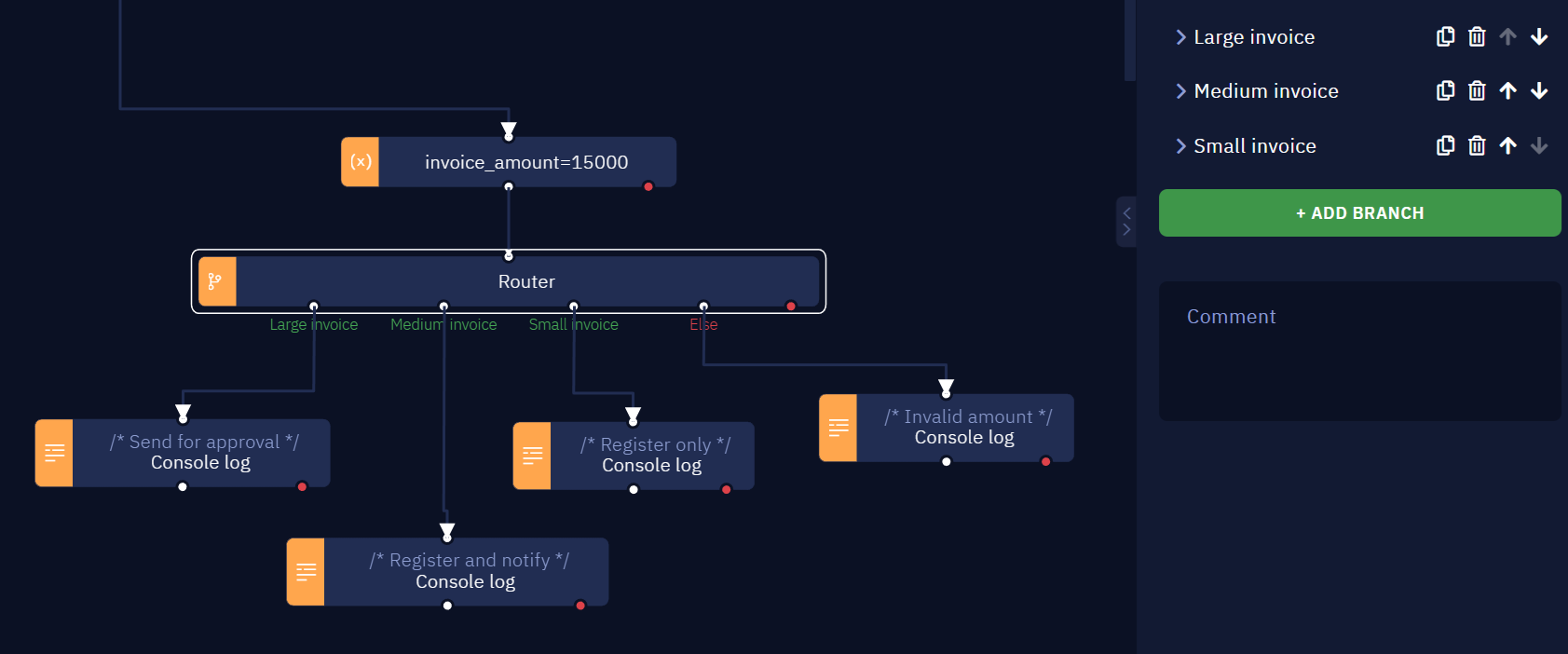
Studio Pro has a new Router activity, like the one in AI Workflows. Instead of chaining several "If... then" activities, add one Router with up to 10 named branches, each with its own condition. The first branch whose condition is true runs, from left to right, and Else runs when none of them match. Branches can be cloned, deleted and reordered, and their connections move with them. Learn more in Router.
SFTP support in Studio Pro
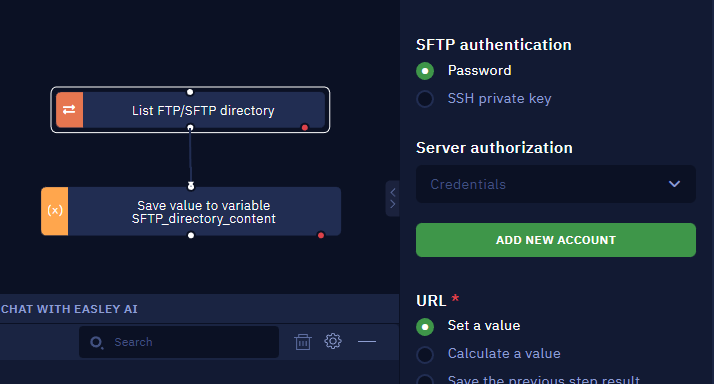
The FTP activities in Studio Pro (List, Upload, Download and Delete) now work with SFTP servers. Use an sftp:// URL and sign in with a password or an SSH private key. You can also check the server's SHA256 host key fingerprint before connecting. Learn more in FTP.
New options in Execute JS Code
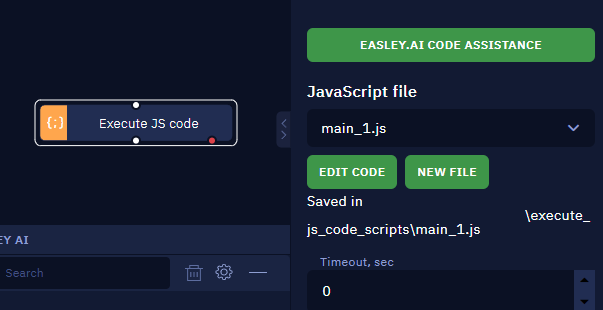
The Execute JS Code activity now supports several JavaScript files per subprogram. Pick a file from the selector, give new files a name, and edits are shared by every activity that uses the same file. The editor adds Find, Replace and Format Code, plus line numbers, folding and a minimap. Learn more in Execute JS code.
Combine specific files into a PDF
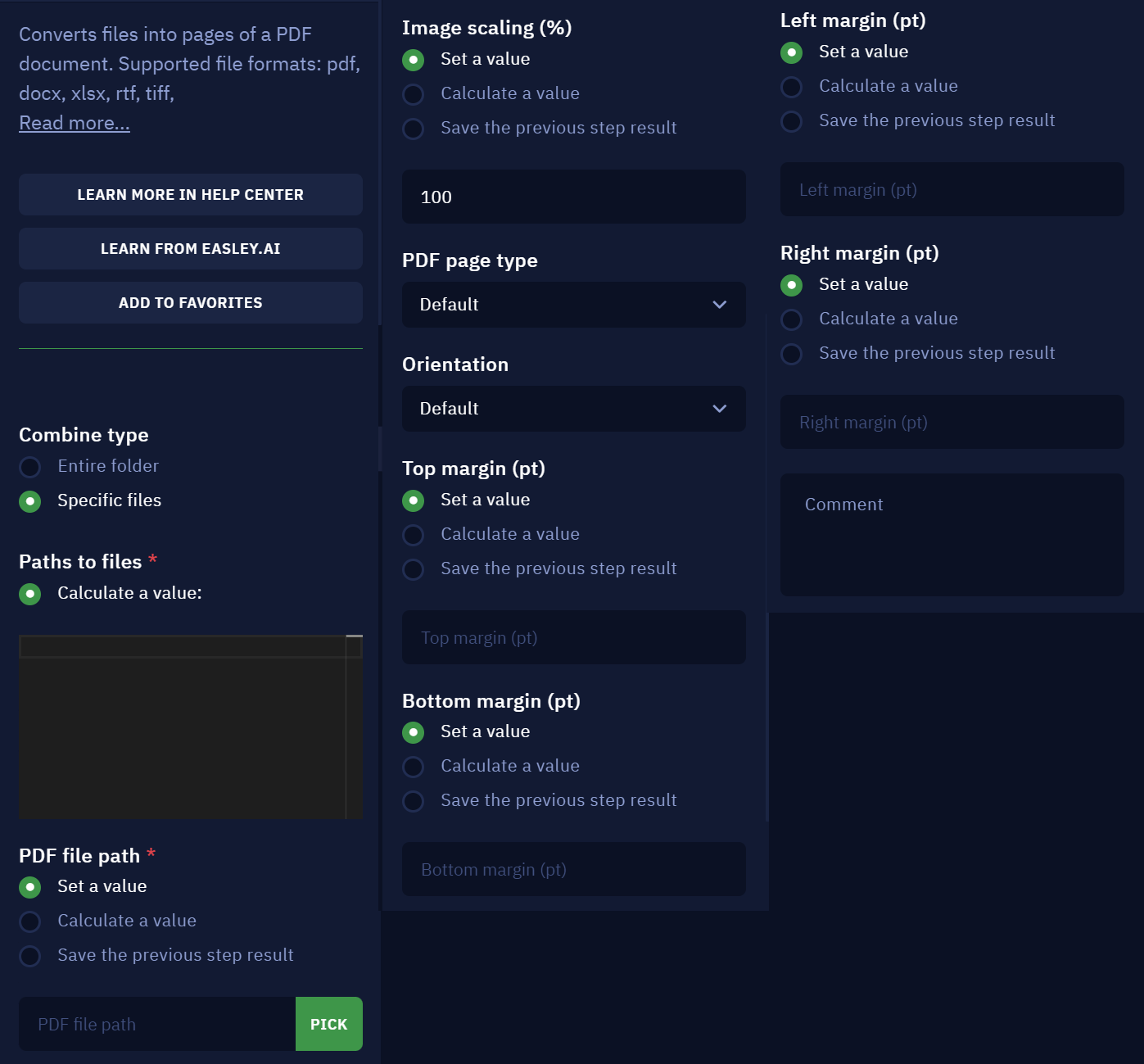
Combine to PDF can now merge a list of specific files, in the order you choose, instead of a whole folder. Images can also be scaled and laid out with a page size, orientation and margins. Learn more in Combine to PDF.
Schedules in the Orchestrator API
Six new endpoints let you list, read, create, update and delete schedules from the Orchestrator API, including the Bot Runner assigned to each one. Launch lists for workflows and Bot Runners now also return each launch's ID, so you can pass it straight to Get Launch Info, Stop Launch or Cancel Launch.
A more capable Form editor
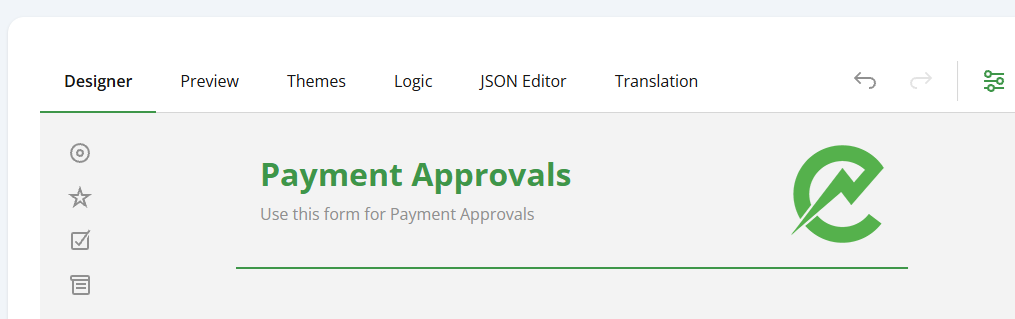
The Form editor now has six tabs: Designer, Preview, Themes, Logic, JSON Editor and Translation. Use the JSON Editor to export a Form and import it somewhere else, and Translation to offer the same Form in several languages. Learn more in Forms.
Summary of all changes
The following is a summary of all changes in this release:
AI Agent Management
- AI Workflows is now fully translated into Spanish, Portuguese, French and German.
- Added a Variables page to the AI Workflows menu, to create, edit and delete Variables. Values are encrypted and can only be replaced, never shown.
- Fixed AI Workflows refreshing on its own every few minutes and getting stuck until the page was reloaded.
- AI Workflows pages load much faster, especially the Automations list, New Connection and the Apps list in the flow editor.
- Fixed runs failing for lack of quota after an earlier run crashed.
- Forms: the editor now has Designer, Preview, Themes, Logic, JSON Editor and Translation tabs, with JSON import and export.
- Forms: fixed the Form editor failing to open when the Portal is in a language other than English.
Document Intelligence
- IntelliDocs is now fully translated into Spanish, Portuguese, French and German.
- Fixed issues with Document Stream page limits.
Orchestrator
- Added Schedules endpoints to the Orchestrator API: list all, list by workflow, get, create, update and delete.
- Launch lists in the API now return each launch's ID.
- Fixed newly connected Bot Runners not showing in the Not approved list.
- Fixed switching a toggle column (Webhook Link, Execution logs or Console logs) on the Workflows page taking you back to page 1.
Studio Pro
- Added the Router activity, to send a workflow down one of up to 10 branches based on their conditions.
- Added SFTP support to the FTP activities, with password or SSH key authentication and host key verification.
- Execute JS Code: multiple named JavaScript files, Find, Replace and Format Code.* Combine to PDF: combine specific files in a set order, with page size, orientation, margins and image scaling.* Ask AI and Edit Text now show the AI provider's error details when a request fails.* Fixed "Selectors driver" errors after reading Excel or PDF files.
- Fixed workflow arrows losing their position when the computer is low on resources.
- Fixed the selection outline not resizing when a block changes size.
- Fixed runs getting stuck after closing and reopening Studio Pro.
- Fixed Debug mode resuming on its own after a breakpoint.
- Fixed the Get Element Property activity failing with Selectors: Unknown command.
- Studio Pro now shows a clear error when the license can't be created at first sign-in.
- The Extract Document Data (IntelliDocs) activity now shows a clear error when its API key credential is missing.
- Fixed errors in the Google Cloud OCR and Microsoft Cloud OCR activities.
- Fixed outdated Help Center links.
- The Output tab now shows the correct limit of 2,500,000 characters.
Bot Runner
- Added support for running workflows that use the new Router activity.
- Fixed Microsoft Native Excel activities failing with "Excel not installed" after the first read.
- Fixed "Selectors driver" errors after reading Excel or PDF files.
- Fixed Bot Runner freezing after several hours of execution.
- Fixed Bot Runner closing by itself while idle.
- Fixed scheduled workflows not running after a restart when Autologon and RDP Connection are enabled.
- White Labeling: your custom color now applies to more elements and pop-ups, and the default look returns when the token is disconnected. Learn more in White Labeling.
Studio Pro and Bot Runner
- Check for updates now works again on older versions.
- Removed an outdated Java component from the installers that security scanners flagged.
- Restored the Start menu, taskbar and desktop shortcut icons.
Support Center
- The Support Center is now fully translated into Spanish, Portuguese, French and German.
We can't wait for you to try these updates. As always, keep your feedback coming through the Support Center to help shape what comes next.