
Esta página aún no está traducida al español, por lo que se muestra en inglés.
FTP
Studio Pro Activities > OS Automation > Files & Folders > FTP. Includes "List FTP/SFTP Directory", "Upload File/Folder to FTP/SFTP", "Download File/Folder from FTP/SFTP" and "Delete FTP/SFTP File/Folder".
Activities
| List FTP/SFTP Directory | Upload File/Folder to FTP/SFTP |
|---|---|
| Retrieve the content of a directory | Upload files or folders to an FTP or SFTP server |
| Download File/Folder from FTP/SFTP | Delete FTP/SFTP File/Folder |
| Download files or folders from an FTP or SFTP server | Remove files or folders from an FTP or SFTP server |
Working with SFTP servers
All four FTP activities also work with SFTP (SSH File Transfer Protocol) servers. To connect to an SFTP server, start the URL with sftp:// instead of ftp://, for example sftp://files.example.com/reports/. Workflows that use ftp:// URLs keep working as before.
Authentication
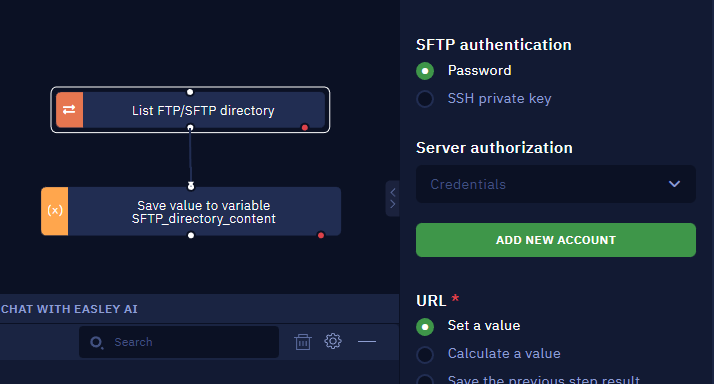
When the URL is an SFTP URL, choose how to sign in with the SFTP authentication property:
- Password: save the username and password in a Credential and select it in Server authorization, as you would for FTP.
- SSH private key:
- Username and key passphrase: select a Credential with the SSH username. If the key is encrypted, save its passphrase in that Credential's password field. For an unencrypted key, you can leave this empty and include the username in the URL instead, for example
sftp://user@files.example.com/reports/. - Private key file (required): the path to the private key file, in OpenSSH or PEM format. Click PICK to select it.
- Username and key passphrase: select a Credential with the SSH username. If the key is encrypted, save its passphrase in that Credential's password field. For an unencrypted key, you can leave this empty and include the username in the URL instead, for example
The private key file must exist at the same path on every machine that runs the workflow, in both Studio Pro and Bot Runner.
Host key verification
Optionally, enter the server's SHA256 fingerprint in Host key fingerprint (optional). Before transferring any data, the activity checks that the server's fingerprint matches. If it doesn't, the activity stops with a mismatch error, which protects you from connecting to the wrong server.
Deleting folders
The Delete FTP/SFTP File/Folder activity can delete folders recursively on SFTP servers, but it doesn't delete the server root. Always specify the folder you want to delete.
List FTP/SFTP Directory
Description
The "List FTP/SFTP Directory" activity enables users of Studio Pro to establish an FTP or SFTP connection with a server and retrieve the content of a directory. This retrieved content can be saved as a variable for further processing.
Parameters
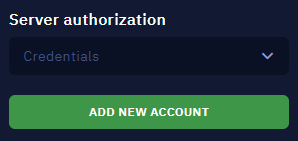
Server Authorization
This mandatory field utilizes the default Credential feature in Studio Pro for server authentication.
URL
This mandatory field allows users to input the URL path of the file or folder for which they want to retrieve the directory content.
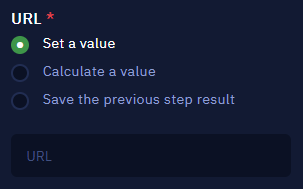
- Set a value: enables you to directly write the desired URL.
- Calculate a value: enables you to use available properties and methods to form a URL.
- Save the previous step result: chooses the previous activity result as a URL.
Comment
This is a non-mandatory open field where users can add comments or notes related to the activity. The input text will be displayed above the activity name.

Upload File/Folder to FTP/SFTP
Description
The "Upload File/Folder to FTP/SFTP" activity enables users to upload files or folders to an FTP or SFTP server directly from Studio Pro. This functionality streamlines the process of transferring data between systems.
Parameters
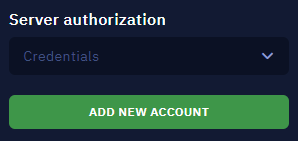
Server Authorization
This mandatory field utilizes the default Credential feature in Studio Pro for server authentication.
Path Type
This mandatory field offers two options for the type of data to be uploaded:
- File: Signifies that the provided URL points to a file on the local system to be uploaded.
- Folder: Indicates that the URL points to a local folder, which will be uploaded as a whole to the FTP server.

Local Path
This mandatory field that allows users to specify the source path of the file or folder on the local system.
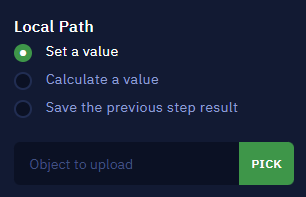
- Set a value: enables you to directly write the desired path.
- Calculate a value: enables you to use available properties and methods to form a path.
- Save the previous step result: chooses the previous activity result as a path.
URL
This mandatory field allows users to specify the destination URL on the FTP server for the uploaded file or folder.
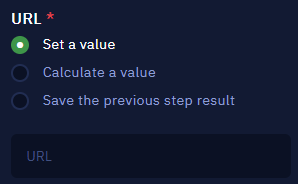
- Set a value: enables you to directly write the desired URL.
- Calculate a value: enables you to use available properties and methods to form a URL.
- Save the previous step result: chooses the previous activity result as a URL.
Comment
This is a non-mandatory open field where users can add comments or notes related to the activity. The input text will be displayed above the activity name.

Download File/Folder from FTP/SFTP
Description
The Download File/Folder from FTP/SFTP activity simplifies the process of accessing and incorporating external data from FTP and SFTP servers. It allows users to specify the exact location of files or folders for seamless integration into their automation workflows.
Parameters
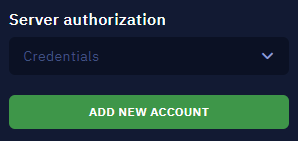
Server Authorization
This mandatory field utilizes the default Credential feature in Studio Pro for server authentication.
Path Type
This mandatory field offers two options for the type of data to be downloaded:
- File: When selected, the URL path specified in the next field will refer to a file on the FTP server.
- Folder: When selected, the URL path provided in the next field will point to a folder on the FTP server.

URL
This mandatory field allows users to input the URL of the file or folder they intend to download from the FTP server.
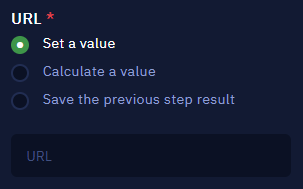
- Set a value: enables you to directly write the desired URL.
- Calculate a value: enables you to use available properties and methods to form a URL.
- Save the previous step result: chooses the previous activity result as a URL.
Comment
This is a non-mandatory open field where users can add comments or notes related to the activity. The input text will be displayed above the activity name.

Delete FTP/SFTP File/Folder
Description
Manage your remote FTP or SFTP server's file structure efficiently with this activity. It enables the systematic removal of specific files or entire directories from the server.
Parameters
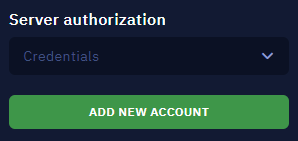
Server Authorization
This mandatory field utilizes the default Credential feature in Studio Pro for server authentication.
Path Type
This mandatory field offers two options for the type of data to be deleted:
- File: Select this option to delete a specific file.
- Folder: Select this option to delete an entire folder and its contents.

URL
This mandatory field allows users to input the URL path of the file or folder they wish to delete.
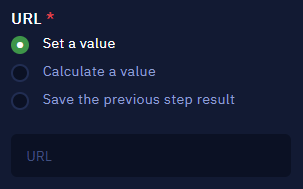
- Set a value: enables you to directly write the desired URL.
- Calculate a value: enables you to use available properties and methods to form a URL.
- Save the previous step result: chooses the previous activity result as a URL.
Comment
This is a non-mandatory open field where users can add comments or notes related to the activity. The input text will be displayed above the activity name.